KCL CLIENT PORTAL
Everything KCL does for you, in one place
For KCL clients: your support tickets, contract hours, licences, contracts, domains and invoices – up to date, secure, and there whenever you need them.
For KCL clients · Sign in with your work Microsoft account · Nothing to install
What you can see
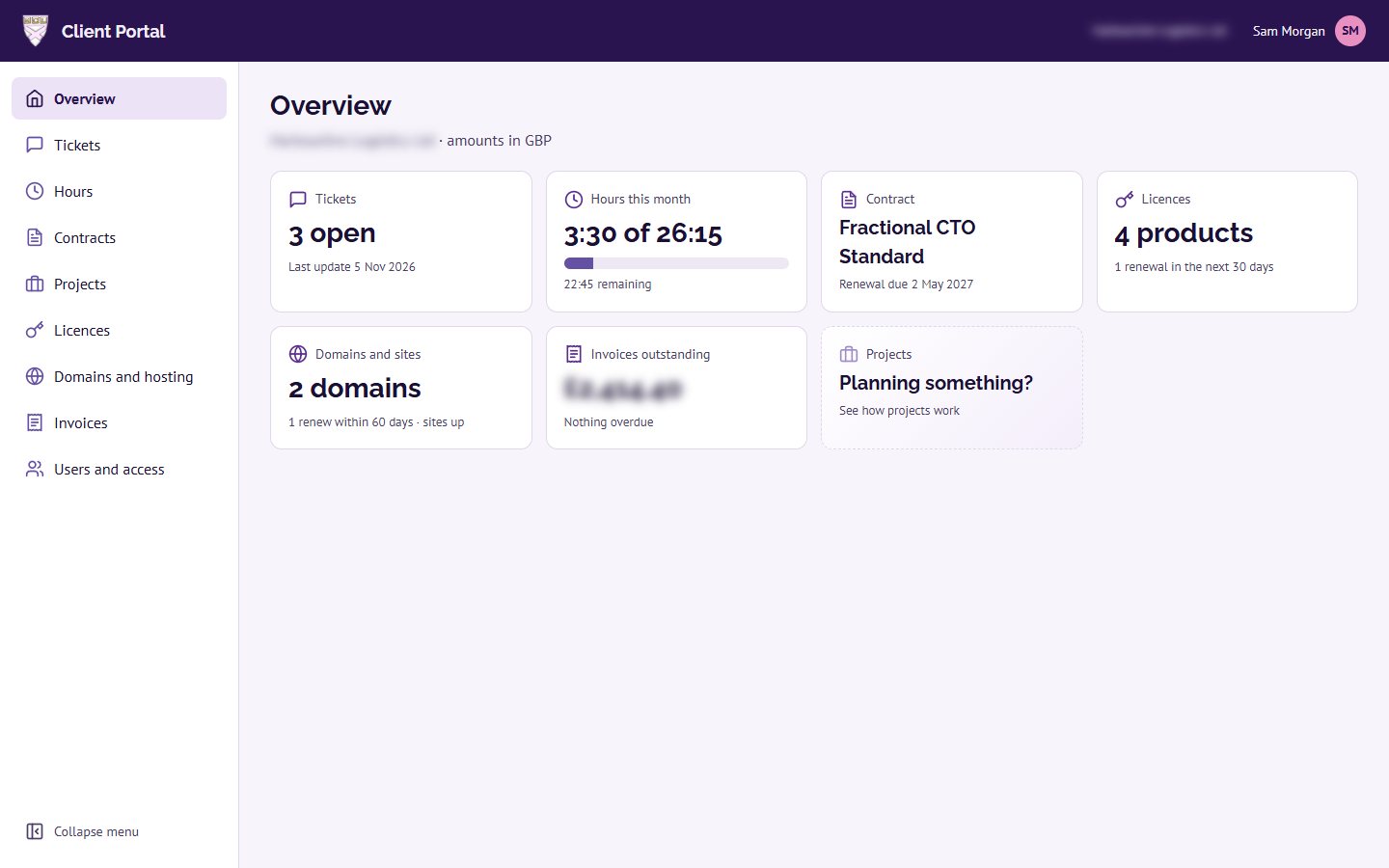
Each section shows your company’s own information, kept up to date from the systems KCL uses to look after you.
Tickets
Raise a ticket, follow the conversation and reply – with screenshots and files – without hunting through email.
Hours
Every hour we log for you, with times and a description, how your allowance is going this month and what rolls over.
Contracts
Your current contract and every past one: fee, hours, rates, what’s included, renewal dates and the signed copy.
Licences
Your Microsoft and security licences: how many you have, how many are in use, renewal dates and what’s included in your contract.
Domains and hosting
Your domain names with their expiry dates, and your websites with their status and security certificate.
Invoices
Every invoice with what it’s for, what’s due and when – and a secure link to view, download and pay.
And Projects: work proposals and the hours spent on them. See every section in the guide.
SUPPORT
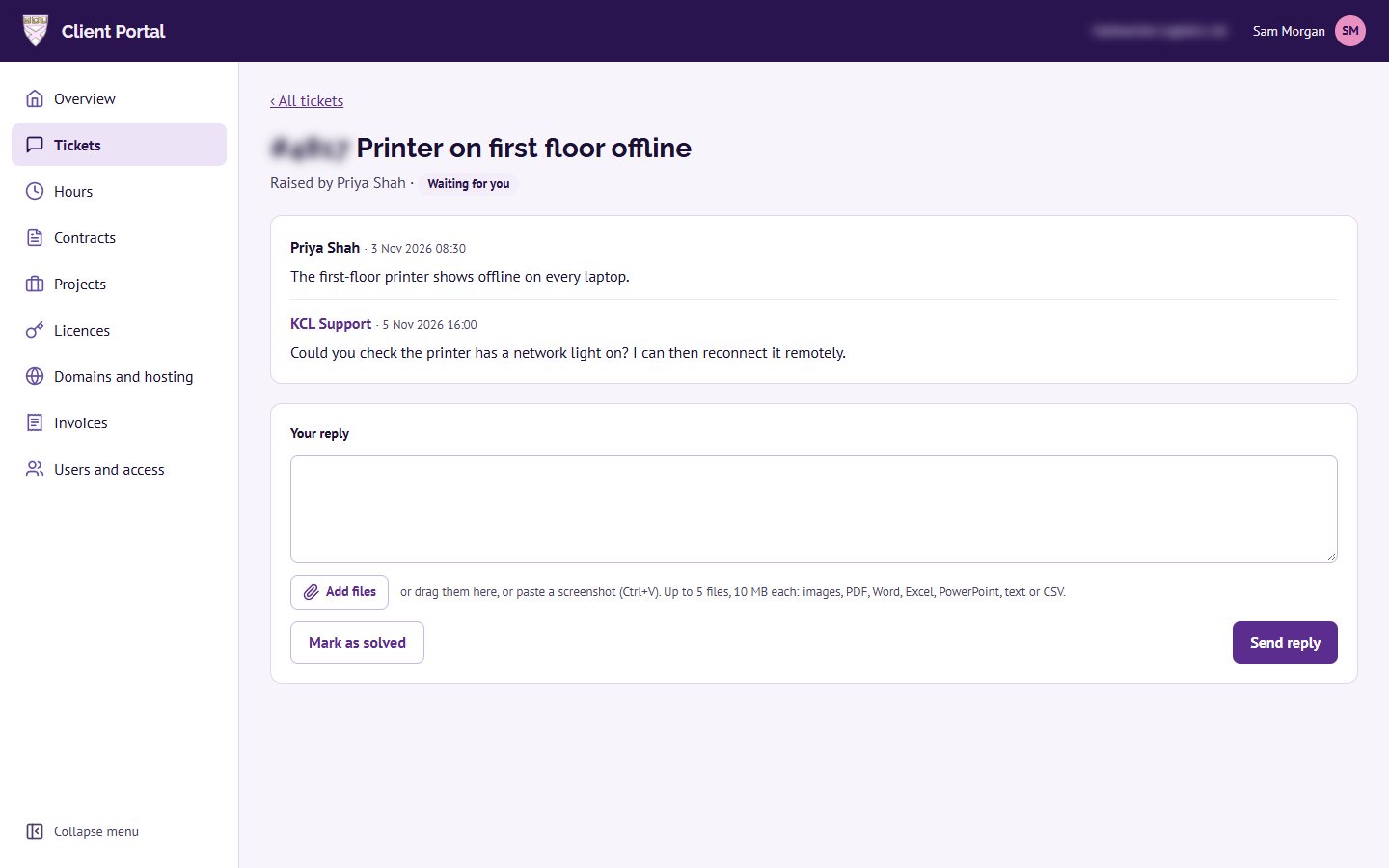
Tickets without the email chains
Raise a ticket in a few seconds and see every reply in one conversation. Your replies reach KCL straight away.
- Paste a screenshot straight in, or add files
- See the whole company’s tickets, or just your own
- Follow progress at a glance: open, waiting for you, solved
HOURS
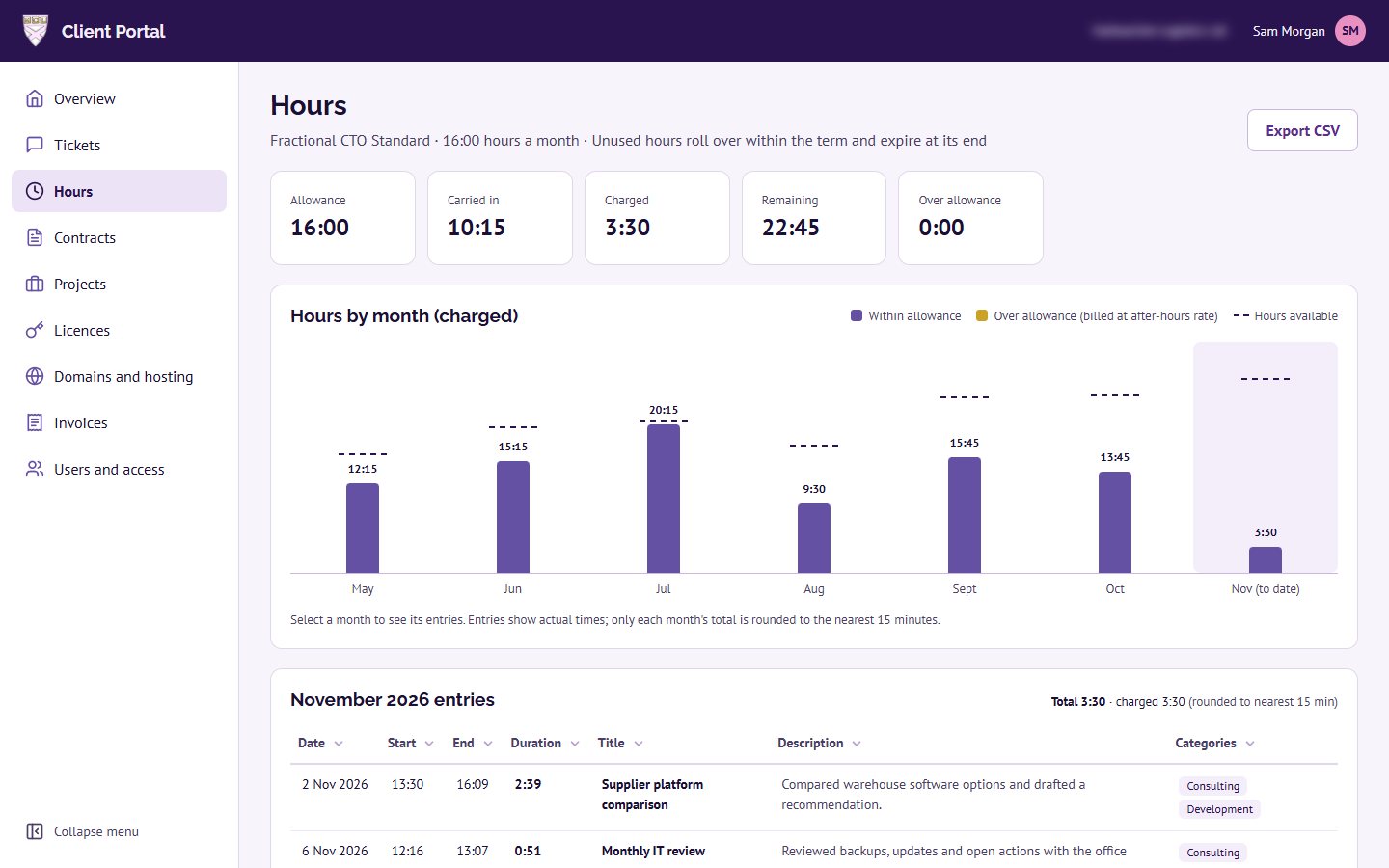
See exactly where your hours go
Your contract hours, month by month: what you’ve used, what’s left and what carries over. Choose a month to see every entry, with the start and end times and what was done.
- Entries are never rounded – only each month’s total, to the nearest 15 minutes
- Hours over your allowance are clearly marked
- Export any month to a spreadsheet
LICENCES
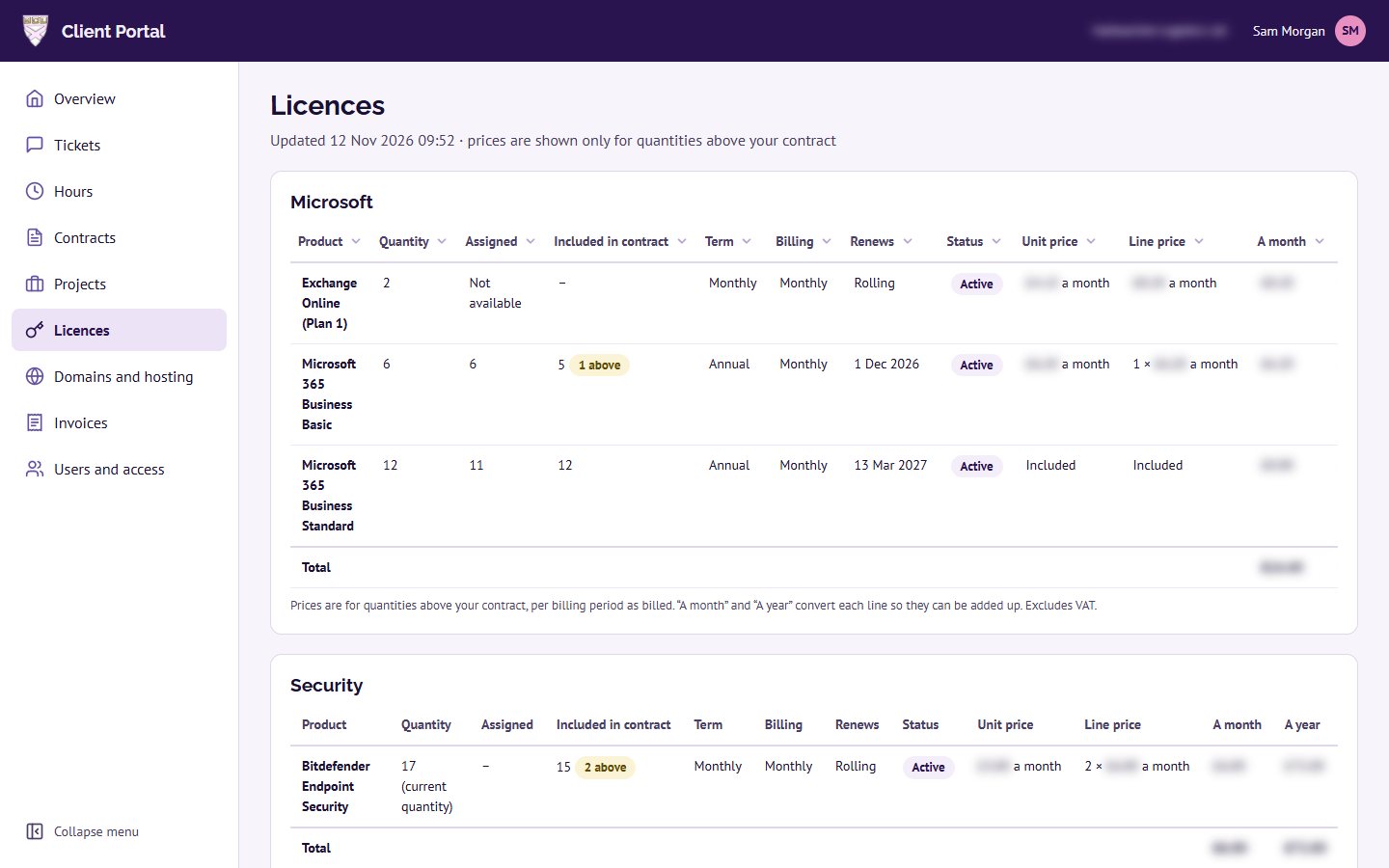
Licences checked against your contract
Your Microsoft 365 and security licences, refreshed automatically from our suppliers. See how many you have, how many are assigned to people, when they renew – and how that compares with what your contract includes.
- Prices shown only for anything beyond your contract
- Monthly and yearly totals, so budgeting is easy
INVOICES
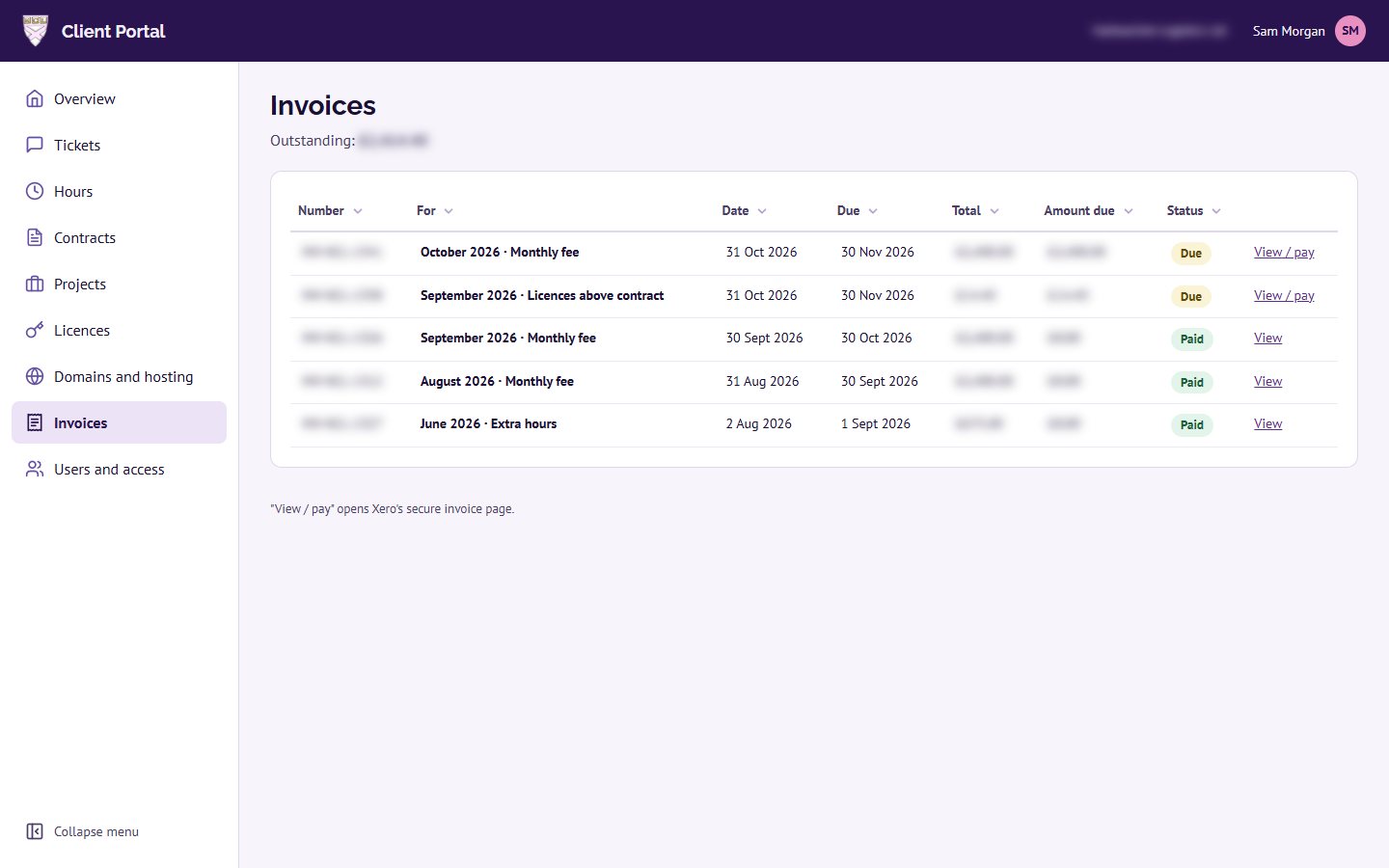
Invoices, ready to pay
Every invoice, with the month or project it’s for, the amount due and the due date. One click opens Xero’s secure page to view, download or pay it.
YOUR TEAM
You decide who sees what
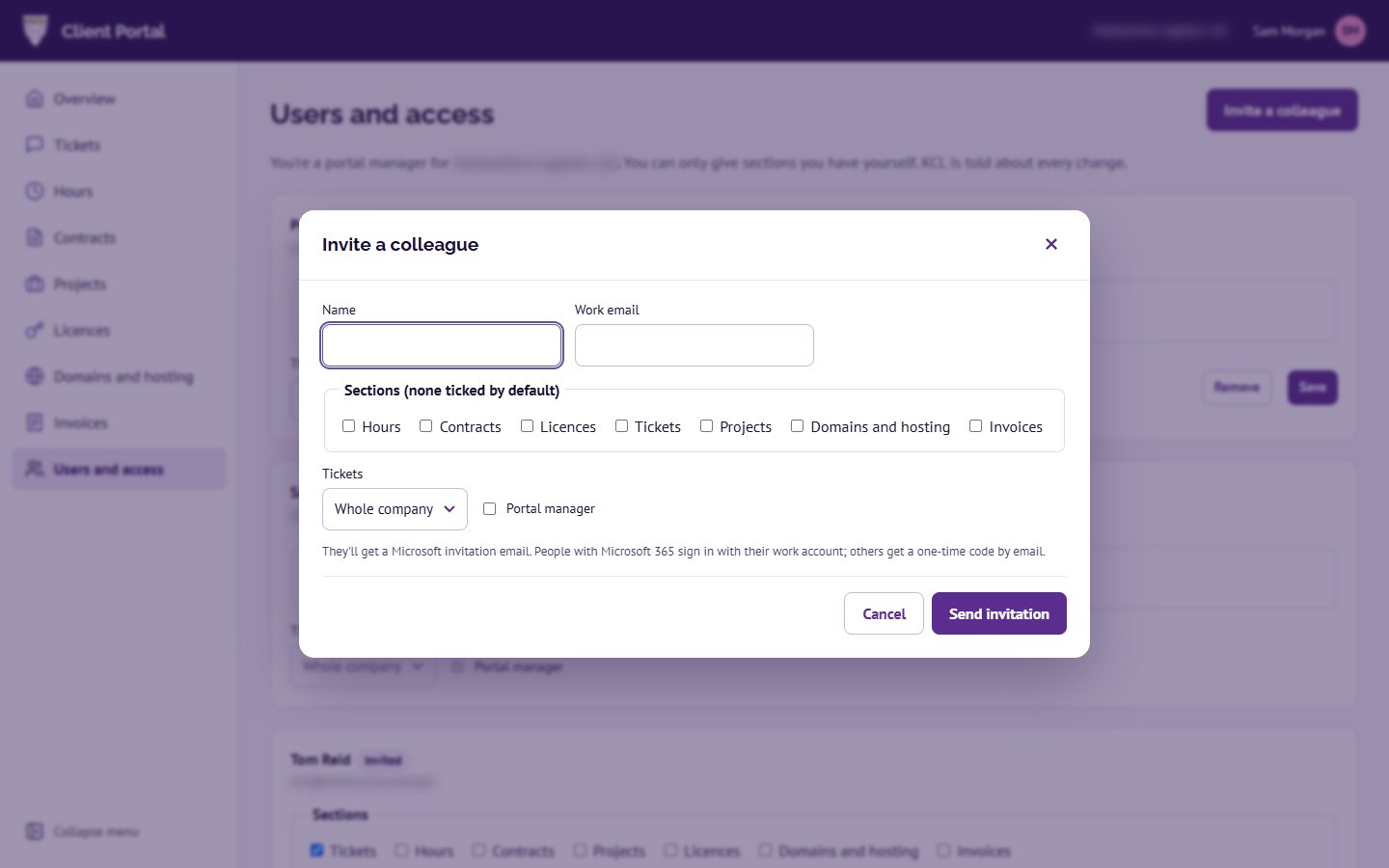
Your company’s portal manager can invite colleagues straight away and choose, person by person, which sections they see. A colleague who only raises tickets doesn’t need to see invoices.
- New colleagues start with nothing switched on
- Remove someone’s access in one click
- Work with more than one company? Switch between them with one sign-in
Secure by design
Your own Microsoft sign-in
Sign in with your work Microsoft 365 account, so your company’s own security – such as multi-factor sign-in – applies. No Microsoft 365? A one-time code is emailed to you. There’s no extra password to remember.
Invitation only
Access is given to named people, by KCL or your portal manager – never to everyone at your company – and only to the sections they need.
Built on Microsoft Azure
The portal runs in Microsoft’s UK data centres. Your information is only shown to people your company has invited, and every change to access is recorded.
On your desk and in your pocket
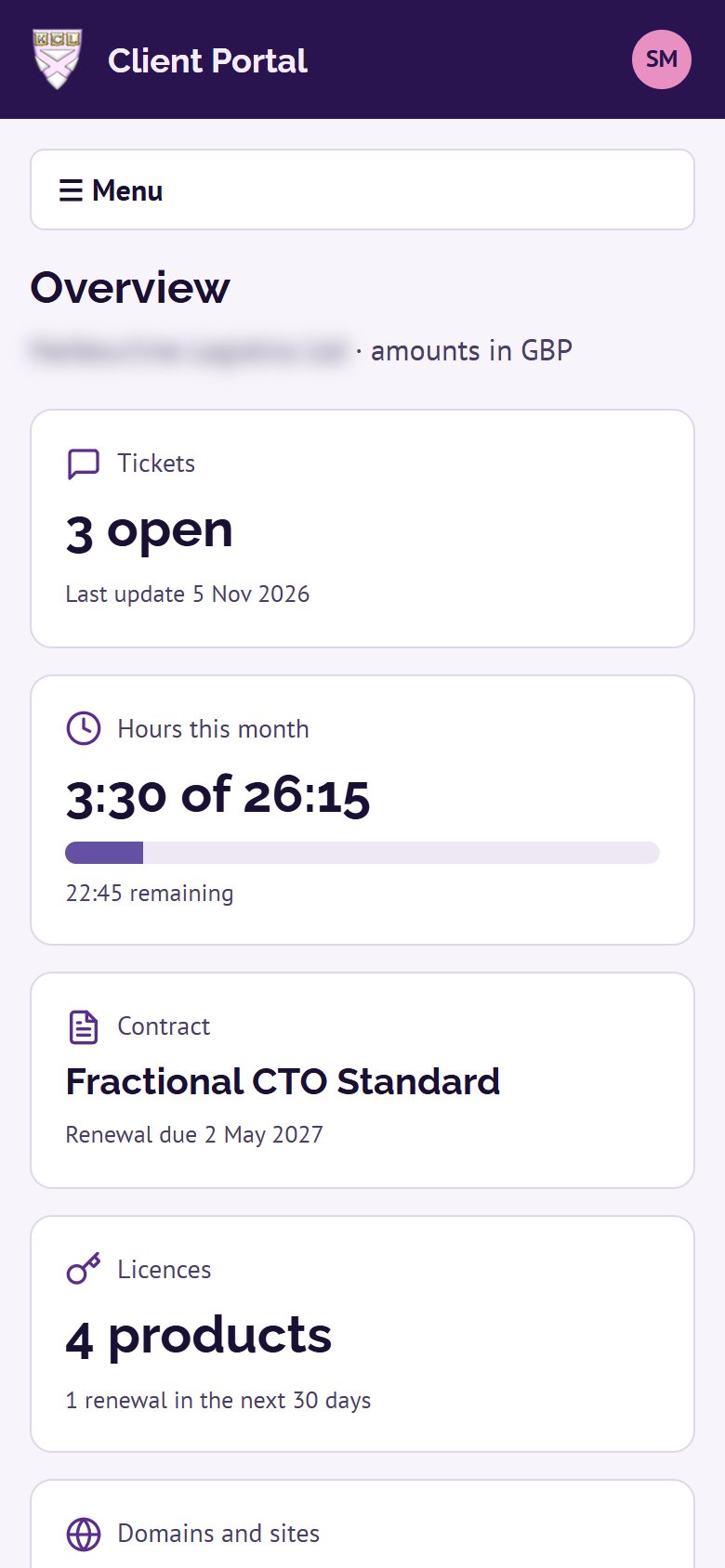
The portal works in any modern browser on a computer, tablet or phone. Install it as an app and it opens in its own window, with an icon on your taskbar or home screen.
The how-to guide shows how, step by step.
Questions
Who can use the portal?
KCL clients. Access is by invitation: KCL sets up your company’s portal manager, who can then invite colleagues.
How do I get access?
Ask your company’s portal manager, or email support@kcl.cloud. You’ll receive an invitation email from Microsoft on KCL’s behalf.
Do I need Microsoft 365?
No. If your work email is a Microsoft 365 account you sign in with it as usual; otherwise Microsoft emails you a one-time code each time you sign in.
How up to date is it?
Tickets update within minutes. Licences and invoices are refreshed when you open them, and hours appear as KCL logs them.
Can I use it on my phone?
Yes – every page works on a phone, and you can add it to your home screen. See Install it as an app.
Where can I find help?
The how-to guide covers every page with pictures. You can also raise a ticket in the portal, or email support@kcl.cloud.
Already a KCL client?
Sign in with the email address your invitation was sent to.